







































































































Solution focus
There are several problems with maintaining this status quo.
Typical approaches to integration take too long, and they do not scale. Teams with multiple members with specialized skills must manually go through several steps to perform the integration for a single project. Each project is customized. Such an approach results in an ever-growing set of one-off integrations, each of which takes weeks or months of effort to build, update, or maintain.
Additionally, IT staff and developers are overwhelmed with requests. This comes at a time when it is difficult to attract and retain skilled workers. Specifically, businesses today find it is much harder to maintain the required specialty skills needed to build or maintain integrations. The skills problem is becoming more acute. Many people with the knowledge and skills needed to work on legacy systems are retiring. Others are opting to leave their jobs or enter new fields leading to what many call the great resignation. And younger tech staff is harder to retain due to the great demand for their talents.
Challenges to overcome
Business processes depend on the movement of data between applications which is triggered by events, actions, customers, or clients. Integration is about getting data moved from where it is created to where it needs to be consumed. However, integration efforts often encounter obstacles including:
Too many manual tasks
There are many manual tasks throughout the integration lifecycle, including creation, deployment, operation, and maintenance. This includes tasks like mapping fields in integration flows, creating the integration flows themselves, or writing API tests that exercise the full scope of the integration and related back-ends. These manual tasks have always required expert integration skills. This slows down the speed of any digital transformation projects due to a limited number of integration experts.
Not enough insights
There isn’t enough insight, or action on the insight, of what is happening in the business. When problems occur, time is wasted on problem determination. Even if a problem is fixed, the lessons learned aren’t applied to the rest of the deployments. And problems in operation, if found, are fixed rather than fed back into the integration lifecycle where they could be used to improve the process. These inefficiencies remain hidden because companies lack operational visibility to continuously improve integrations, learning from their own data and experiences.
Siloed teams
Integration teams are siloed. The messaging team is separate from the application integration team. The Kafka team is separate from each of them. They all feel their integration approach is the way to solve the business integration problems. All of them have different approaches, skills, and deployment behaviors.
How can automated integrations help?
Automated integration takes much of the burden off of the technical staff to carry out these processes. The goal of automated integration is to enable applications and systems that were built separately to work together without too much manual effort, resulting in new capabilities and efficiencies that cut costs, uncover insights, and much more. Achieving these results requires overcoming problems in multiple areas. All the problems can benefit from automation, like the ones listed below:
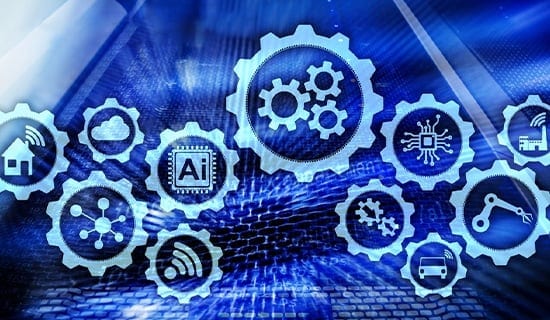
Automated integration that makes use of technologies including artificial intelligence (AI) and no-code/low-code development methods can help address these challenges.
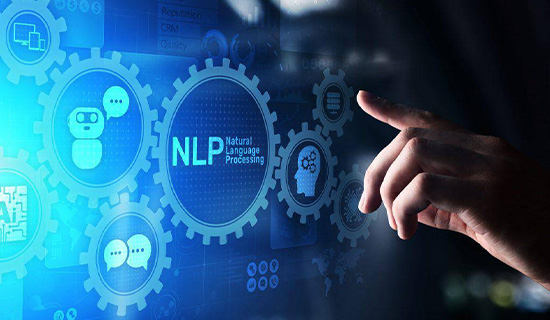
For example, AI in the form of natural language processing (NLP) might be used at the start of a project that requires integration. The business team could then simply describe the integration it needs. An AI-powered automation solution could then use those words to recommend various integration templates the team might use in its project. And finally, an AI-powered automation solution would create the integration workflows once the business team selects a template.
Such an approach will greatly speed integration efforts. However, speed is not the only factor to consider. Quality is an important priority. Any automated integration initiative should address issues that can arise in the entire integration lifecycle.
To accomplish this requires an integration solution with an automated, closed-loop approach that supports multiple styles of integration. It should allow businesses to make use of data and assets via APIs, cloud, and on-premises applications. It should also help a business reliably move data with enterprise messaging, support real-time event interactions, and transfer data across any environment.
Critical elements of an automated integration solution
Legacy applications were monoliths that were hard to update and did not offer easy ways to share data or expose functionality. In contrast, modern applications are based on cloud-native architectures using microservices and APIs that allow various elements to interact with one another easily.
As a result, application integration’s function is to directly link multiple applications at a functional level. Application data may be linked in near real-time, allowing organizations to create dynamic and highly adaptable applications and services.
There are proven application integration styles that can be used independently or in combination, from modern API integration where business IT assets can be exposed and discovered in a rapid and secure way to more traditional service-oriented architectures like an enterprise service bus. Integrations might be synchronous where the caller immediately receives a response or makes a change in a back-end system, or asynchronous where integration flows are triggered after events occur in one application then reflect those events in other applications.
Application integration generally refers to these real-time interactions, enabling businesses to stay agile, retrieve and immediately change data, and respond to new events as they occur. This contrasts with the older forms of batch-based integration (often termed “data integration”) that tend to be more periodic in nature, with hourly or even daily batch runs.
A suitable automated integration solution needs to offer a complete set of multi-style integration capabilities that help companies integrate faster. Such a solution would help integration developers expose data, apps, and events as securely managed APIs. This enables them to access the functionality of other applications easily and quickly through well-defined data structures.
Another key attribute needed in an automated integration solution is enterprise-grade messaging. Messaging enables data to be passed asynchronously from one application to another such that the sending application can continue with other tasks with the knowledge that the data is assured to be delivered to the target application or applications exactly once and only once.
A solution should use Apache Kafka for building real-time client interactions. An example is a notification of something (event) that happened in an application, such as a payment being received. Event streaming technology enables a receiving application to not only receive events one by one but also to view the entire stream at will.
Additionally, the capabilities of an automated integration solution become ever-more useful to lines of business when they enable no-code/low code integrations based on robotic process automation (RPA) to integrate with desktop apps or apps that don’t have APIs or connectors.
Use cases and application areas for automated integration
Some examples of automated integration in action include:
- Banking: By integrating customer accounts, loan applications services, and other back-end systems with their mobile app, a bank can provide services via a new digital channel and appeal to new customers.
- Manufacturing: Factories use hundreds or even thousands of devices to monitor all aspects of the production line. By connecting the devices to other systems (e.g., parts inventories, scheduling applications, systems that control the manufacturing environment), manufacturers can uncover insights that help them identify production problems and better balance quality, cost, and throughput.
- Healthcare: By integrating a hospital patient’s record with an electronic health record (EHR) system, anyone who treats the patient has access to the patient’s history, treatments, and records from the primary care physician and specialists, insurance providers, and more. As the patient moves through different areas of the hospital, the caregivers can access the information they need to treat the patient.
- ERP systems: Enterprise resource planning (ERP) systems serve as a hub for all business activities in the organization. By integrating ERP with supporting applications and services, organizations can streamline and automate mission-critical business processes, such as payment processing, supply chain functions, sales lead tracking, and more.
- CRM platforms: When combined with other tools and services, customer relationship management (CRM) platforms can maximize productivity and efficiency by automating several sales, marketing, customer support, and product development functions.
In all these use cases, a business can leverage automated integration to eliminate issues like manual tasks requiring expert integration skills, lack of operational visibility to improve integrations, and the approach of using only one integration style.
Why automated integration, and why now?
Businesses today face three key challenges, and integration can assist in addressing each one.
The first challenge is driving new engagement models and digital transformation. This is about new business opportunities, new business models, innovation, and driving new business offerings to address these opportunities. Frequently it involves new thinking around digital transformation and ecosystems. Unfortunately, 70% of digital transformation efforts fail due to a lack of integration quality.
The second challenge is accelerating integration while reducing costs. With the ever-increasing number of applications, microservices, cloud, and on-premises deployments and integration needs, the number and need for integration are increasing. Most businesses have trouble handling this increased need at speed while trying to keep costs under control.
And finally, the third challenge is reducing exposure to business and security risks. As businesses are reaching outward to engage their customers, and as businesses expand the deployment of assets across multiple locations, there must be a focus on ensuring business integrity even as deployments multiply and scale and also addressing potential security threats.
Automated integration can help in each of these three areas. Automated integration replaces the bottleneck of a centralized, monolithic architecture. Modern integration approaches empower teams to build and deploy their own integrations. Supporting various integration methods that work seamlessly together helps businesses remove the inefficiency and cost of maintaining multiple integration offerings that do not work together.
Bottom line: Businesses simply have too much integration work to continue to do things manually, relying solely on a centralized set of highly skilled experts. While this group is always going to be needed to do complex integration tasks, successful businesses are working toward an approach to integration that uses AI and automation to eliminate this bottleneck and move simpler reusable integration work out of this centralized team. This enables businesses to get new or updated applications deployed and productive faster.